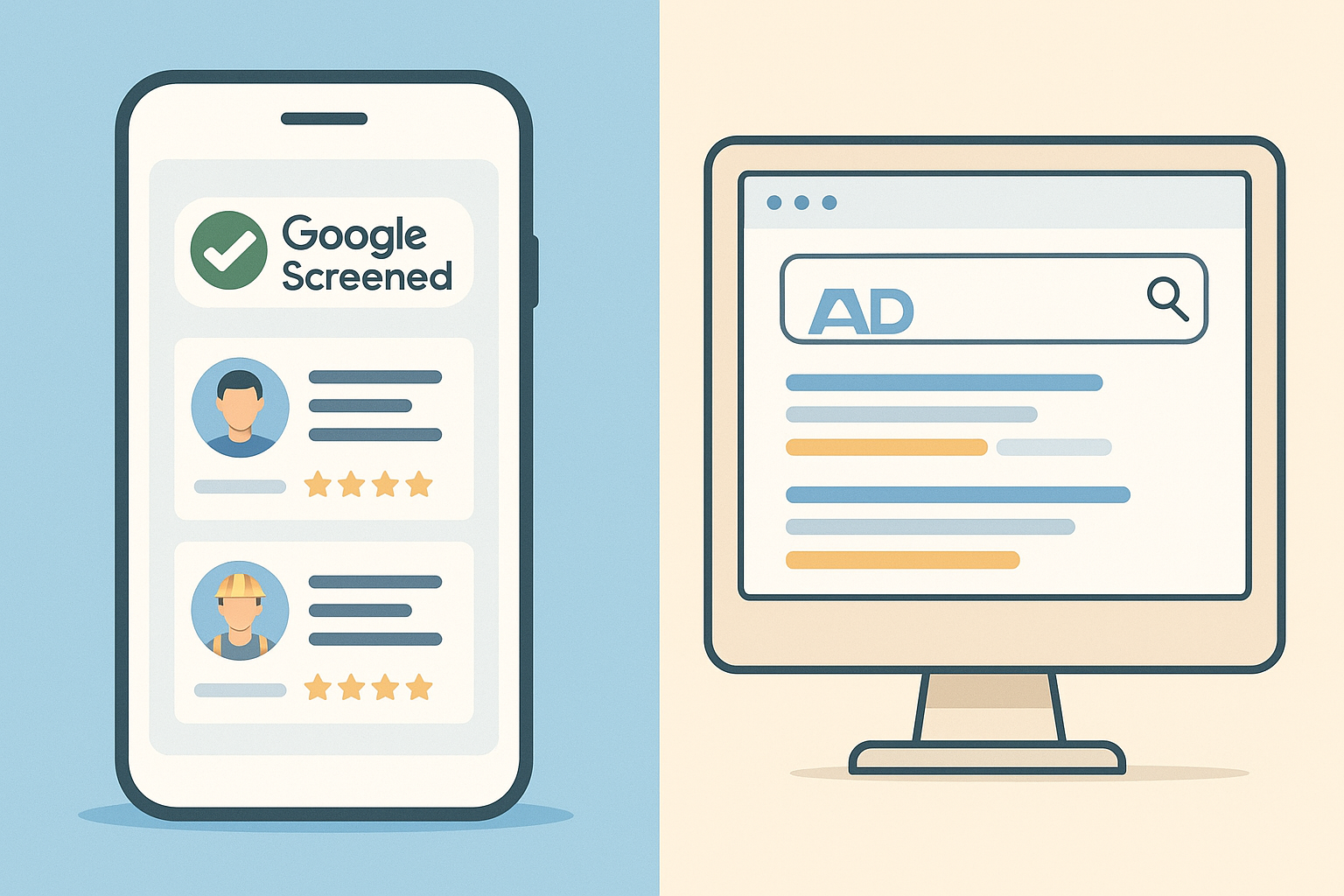
Local Services Ads vs Google Ads for Contractors 2026
Local services ads vs Google Ads for contractors is one of the most common budget questions plumbers, roofers, electricians, and HVAC owners ask before spending another dollar on digital marketing. Both formats live inside Google's advertising ecosystem, but they work in completely different ways, charge you differently, and attract different types of homeowners. Choosing the wrong one, or running both without a plan, can quietly drain a marketing budget for months before an owner notices the leads never turn into jobs.
Quick answer: Local Services Ads charge contractors per qualified lead and display a "Google Verified" badge above regular search results. Google Ads charge per click and let you bid on specific keywords anywhere on the page. LSA generally suits owners who want simple pay-per-lead pricing, while Google Ads suits contractors who want more control over targeting and messaging.
What Is the Difference Between Local Services Ads and Google Ads for Contractors?
Local Services Ads, often shortened to LSA, is a pay-per-lead advertising product built specifically for local service trades. Google Ads, in contrast, is the broader pay-per-click platform used across nearly every industry. The biggest difference is what you're actually paying for: LSA bills you when a homeowner calls or messages through the ad, while Google Ads bills you the moment someone clicks, whether or not they ever contact you.
In addition, LSA listings appear at the very top of mobile and desktop search results, above both organic listings and standard Google Ads. Consequently, a contractor running both formats can occupy two separate positions on the same results page for the same search, which is one reason larger companies often use them together rather than choosing just one.
Local services ads vs Google Ads for contractors often comes down to where your business shows up on the page.
How Local Services Ads Work for Home Service Businesses
To run Local Services Ads, a contractor first creates a profile and passes a background check, along with license and insurance verification where required. Once approved, you receive the Google Verified badge, which replaced the older Google Guarantee and Google Screened badges, according to Google's Local Services Ads support documentation. From there, your listing appears based on proximity, review profile, responsiveness, and bid, rather than a traditional keyword auction.
Billing happens per lead rather than per click. If a homeowner calls or sends a message that looks like a genuine inquiry, you're charged a set price per lead, which varies by trade and market. Because of this, LSA tends to reward contractors who answer the phone quickly and respond to messages the same day, since slow response times directly hurt ranking and lead quality.
How Google Ads Campaigns Work for Contractors
Google Ads, sometimes called PPC (pay-per-click, meaning you pay only when someone clicks your ad), runs on a keyword auction. You choose search terms, write ad copy within strict character limits, and set a bid. Google then combines your bid with a quality score, a rating based on ad relevance and landing page experience, to decide placement, as explained in Google's own Ads auction documentation.
Unlike LSA, you control exactly which searches trigger your ad, how your headlines read, and where traffic lands. That flexibility is powerful, but it also means poor keyword choices or weak landing pages can burn budget quickly. For example, our guide on HVAC Google Ads examples that actually win customers breaks down headline structures that convert clicks into booked calls instead of wasted spend.
Local Services Ads vs Google Ads for Contractors: A Side-by-Side Comparison
Looking at the two formats side by side makes the trade-offs easier to weigh. The table below summarizes the core differences most contractors ask about first.
| Factor | Local Services Ads | Google Ads (PPC) |
|---|---|---|
| Pricing model | Pay per lead (call or message) | Pay per click |
| Placement | Top carousel above organic results | Search results, varies by bid |
| Setup complexity | Lower, profile and verification based | Higher, keywords and copy required |
| Control over targeting | Limited, mostly service area and categories | High, keyword and audience level |
| Trust signal | Google Verified badge | None built in |
Which Costs More: Pay-Per-Lead or Google Ads Pay-Per-Click?
Cost comparisons depend heavily on close rate, meaning the percentage of leads that actually turn into booked jobs. Cost per click for home-service keywords such as "emergency plumber" or "AC repair" varies widely by metro area and competition. Local Services Ads, by comparison, charge per lead, and every charge represents an actual phone call or message rather than a mere visit.
As a result, a higher per-unit cost on LSA doesn't automatically mean a worse return. Similarly, a cheap Google Ads click that never converts can end up costing more per job than a pricier LSA lead that books on the first call. For a deeper look at how review strength affects lead conversion, see our piece on proven local strategies for getting more plumbing customers.
 Tracking cost per booked job matters more than cost per click or lead alone.
Choosing Between Pay-Per-Lead and Pay-Per-Click Advertising
Local Services Ads tends to make sense for contractors who want a simpler setup, limited control requirements, and pricing tied directly to contact events. It also works well for trades with strong emergency or same-day demand, such as plumbing and HVAC, where the top-of-page position matters most.
Google Ads, meanwhile, fits contractors who want to target specific services, specific neighborhoods, or seasonal campaigns, such as roof replacements after a hailstorm. It also supports remarketing, showing ads again to people who already visited your site, which Local Services Ads cannot do. Many established companies eventually run both, using one for volume and the other for precision.
How to Decide Which Platform Fits Your Contracting Business
Rather than guessing, most owners benefit from a short, structured process before committing budget to either platform. Specifically, these five steps help clarify the decision:
- Audit your own recent Google reviews and your top competitors' reviews to spot recurring complaint themes before spending a dollar on ads.
- Calculate your average job value and the maximum cost per lead you can afford while still turning a profit.
- Launch Local Services Ads first, since setup is simpler and you only pay for leads, giving you fast real-world data on call volume and lead quality.
- Layer in Google Ads keyword campaigns for high-value or seasonal services once you understand your close rate and which jobs are most profitable.
- Review competitor complaint patterns monthly and refresh your ad copy and landing pages so your messaging keeps addressing frustrations homeowners actually care about.
Owners who skip the review audit step often discover later that a campaign promise, such as "on-time arrivals guaranteed," directly contradicts their own recent complaints. Our article on positioning against competitors using Google reviews walks through how to avoid that exact mistake before launch.
Why Showing Up Isn't Enough: Winning the Click Once You're Visible
Getting the top LSA slot or the first Google Ads position only solves half the problem. According to Pew Research Center, 82% of U.S. adults at least sometimes read online reviews before buying something for the first time, which means homeowners are comparing your reviews against competitors even after clicking your ad. If every contractor in your market sits between 4.8 and 5.0 stars, the ad itself won't be what wins the job.
This is where reading the fine print of competitor reviews matters. A 4.9-star competitor with 1,500 reviews still has dozens of one- and two-star complaints describing exactly what frustrated their customers, whether that's surprise charges or missed arrival windows. Tools like WeakSpot read that entire review history, cluster the complaints into named weakness themes, and hand contractors finished ad copy built around what competitors are actually getting wrong, so campaign messaging addresses a real frustration instead of a generic promise. The same approach applies whether you're writing an LSA profile description or a full Google Ads campaign, and it pairs naturally with low-cost visibility tactics covered in our roundup of free advertising sites for growing a local business.
 Finding the pattern inside a competitor's negative reviews shapes sharper ad messaging.
Common Pitfalls When Running Both Platforms
Some contractors assume running both formats automatically doubles their leads, but overlapping budgets without a plan often just inflates spend. Therefore, it helps to assign each platform a distinct job, such as LSA for emergency calls and Google Ads for planned installations or replacements, rather than letting both compete for identical searches.
Another frequent issue involves honesty guidelines. The FTC's endorsement guidance reminds businesses that advertising claims, including those drawn from reviews, must be truthful and substantiated. Consequently, any campaign built around a "we never miss an appointment" promise should be checked against your own recent review history first, not just your competitors'.
Frequently Asked Questions About Local Services Ads vs Google Ads for Contractors
What is the main difference between local services ads vs Google Ads for contractors?
The core difference in local services ads vs Google Ads for contractors comes down to pricing model and placement. Local Services Ads charge per qualified lead and display a Google Verified badge above regular results, while Google Ads charge per click on keyword-targeted listings anywhere on the page.
How much do Local Services Ads cost compared to Google Ads?
Local Services Ads charge a set price per lead that varies by trade and market, billed only when a customer calls or messages. Google Ads costs per click, and competitive home-service keywords can get expensive in busy metro areas, so total cost depends heavily on conversion rate.
Do I need the Google Verified badge to run Local Services Ads?
Yes, contractors must pass a background check and licensing or insurance verification to earn the Google Verified badge before their ads go live. This verification step is part of what builds homeowner trust in the format.
Can I run Local Services Ads and Google Ads at the same time?
Yes, and many established contractors do, since the two formats occupy different positions on the search page and rarely cannibalize each other's traffic. Running both lets you capture quick leads through LSA while using Google Ads for specific services or areas.
Is Google Ads worth it if I already have strong reviews?
Strong reviews help conversion rate once someone clicks, but Google Ads still requires a real budget and ongoing optimization regardless of your star rating. Reviews improve how your ad is received; they do not reduce what you pay per click.
How do I know which platform my competitors are using?
Searching your core service terms from a customer's perspective usually reveals whether competitors appear in the Local Services Ads carousel, the standard Google Ads section, or both. Reviewing their presence over several weeks gives a clearer pattern than a single search.
Final Takeaway
Ultimately, the local services ads vs Google Ads for contractors decision isn't about picking a winner once and walking away. In most competitive markets, LSA delivers fast, low-friction leads for trades with urgent demand, while Google Ads gives owners precision targeting for specific services, seasons, and neighborhoods. Many successful contractors eventually run both, assigning each platform a distinct job rather than letting them compete for the same searches. However, visibility alone doesn't close jobs; homeowners still compare your reviews against every other 4.9-star competitor before they call. Pairing either ad platform with a clear view of what competitors are actually getting wrong, drawn straight from their own public reviews, turns a visible ad into a booked job.
